
Fast answer
What should nursing homes track during flood exposure?
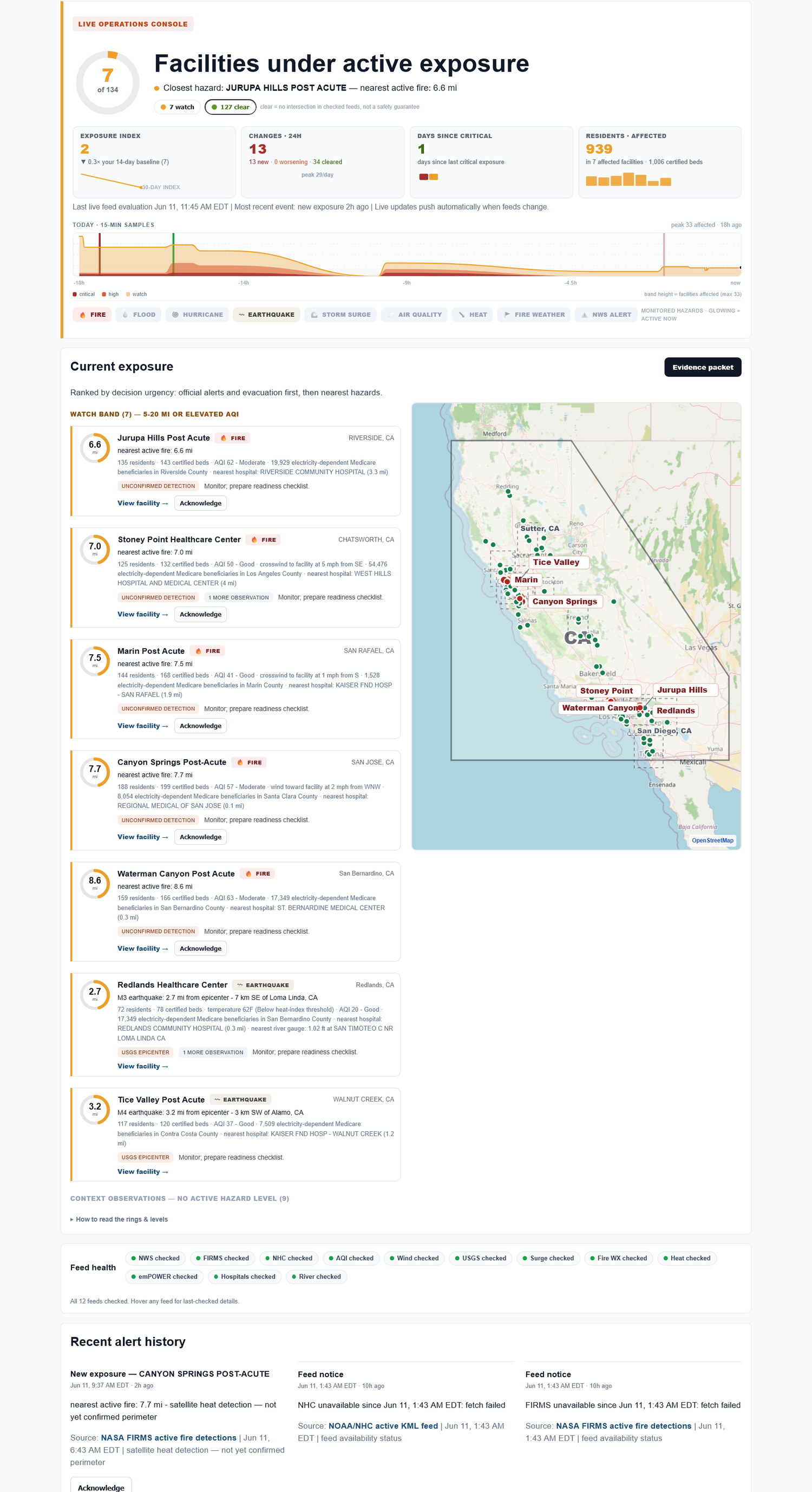
Flood exposure monitoring should tie flood watches, warnings, river or storm conditions, and facility proximity into a building-level record. Exposure Watch preserves the external-hazard timeline, not facility instructions or resident-care decisions.
Flood risk is often a geography problem. Two buildings in the same region can have very different exposure depending on drainage, elevation, roads, and nearby water.
Why flood exposure is hard to explain afterward
Flood concern may show up first as a watch area, then as road access, then as a facility-level question. The trail is easy to lose if nobody is saving it as the event changes.
A source-cited history keeps the review tied to what was actually visible at the time.
Flood exposure evidence checklist
Use this short worksheet to capture what the team needs before the formal review, not as a substitute for the official program.
| Element | How to use it |
|---|---|
| Flood status | Save the watch, warning, or observed concern tied to the facility. |
| Access concern | Flag road, transport, or service assumptions for internal review. |
| Changed condition | Record when the concern worsened, cleared, or stayed active. |
Download worksheet This static worksheet is a practical review aid, not a certification or official filing tool.
How Exposure Watch helps
Exposure Watch saves flood-related exposure rows with facility, source, status, first-seen time, last-checked time, and change history. Your team uses that record alongside its own plans and local information.
The evidence trail to keep on every page
| Facility | Hazard | Source | Status / distance | First seen | Last checked | Export |
|---|---|---|---|---|---|---|
| Facility A | Wildfire smoke | Authoritative, source-cited alert | Nearby / active | timestamp | timestamp | Export |
| Facility B | Power shutoff | Authoritative, source-cited notice | Possible impact | timestamp | timestamp | Export |
| Facility C | Flood | Authoritative, source-cited alert | Watch area | timestamp | timestamp | Export |
Built automatically from the same live checks - no extra binder work.
What Exposure Watch does not do
Exposure Watch does not replace your emergency-preparedness program, make compliance guarantees, file regulatory reports, run incident command, or tell staff what to do in the moment. It helps your team keep the facility-level external-hazard picture and evidence trail current.
FAQ
Does flood exposure monitoring replace local road or evacuation decisions?
No. It preserves external-hazard awareness and source history. Road, evacuation, transport, and resident-care decisions remain with your team and authorities.
What flood evidence helps an annual review?
Facility-level flood watches, status changes, first-seen and last-checked times, and cleared events can help the annual review reflect the year that actually occurred.
Does Exposure Watch collect PHI?
No. Exposure Watch is facility-level external-hazard monitoring. Do not enter resident names, patient records, medical details, or clinical data.
Does Exposure Watch tell staff what to do during an incident?
No. It surfaces facility exposure and preserves the record. Your team keeps responsibility for operations, clinical judgment, reporting, and emergency-preparedness decisions.