
Fast answer
How should a nursing home update an annual all-hazards risk assessment?
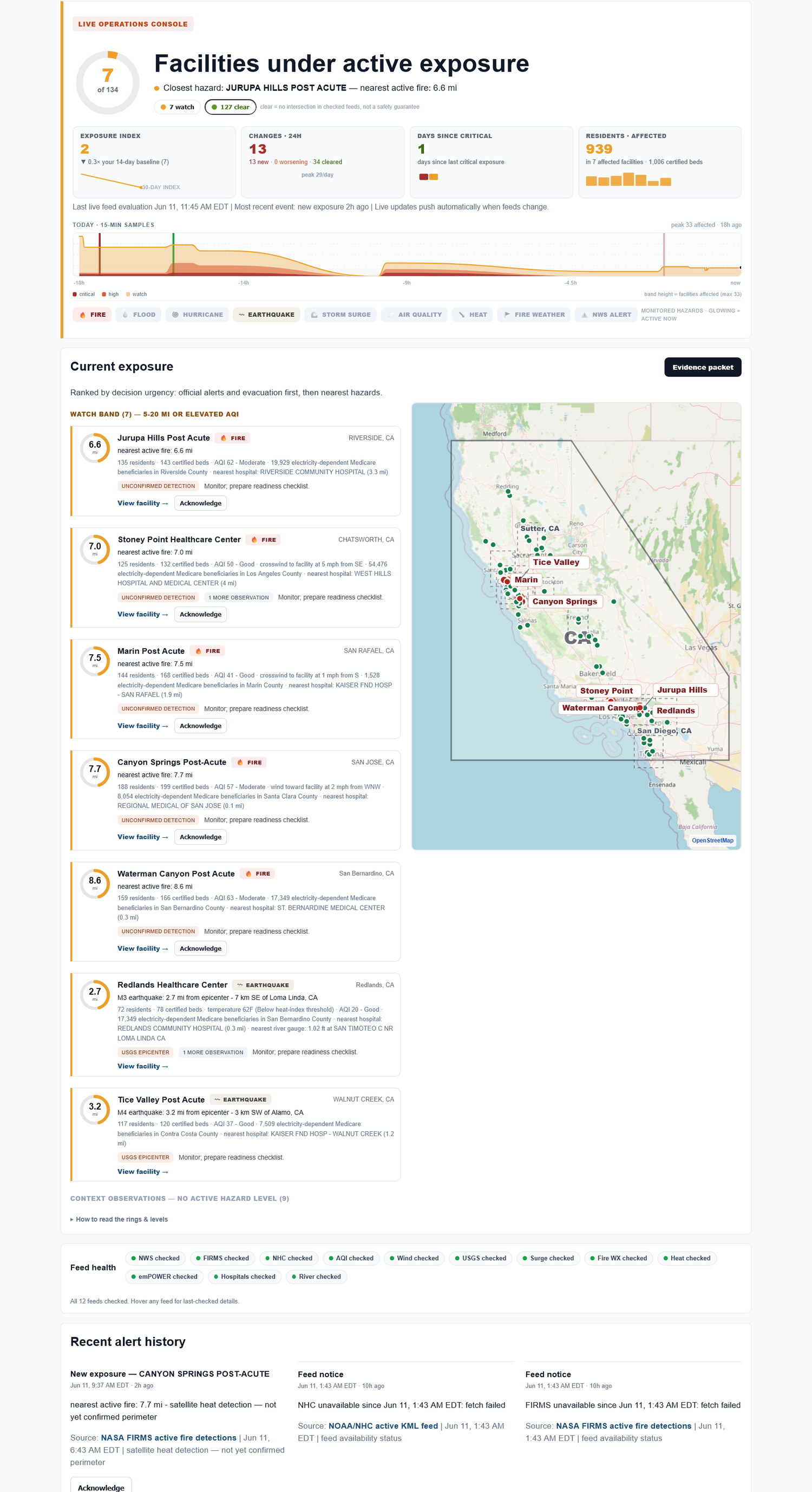
For nursing homes, the all-hazards risk assessment must be facility-based and community-based. E-0006 sits on that requirement. Exposure Watch helps by preserving a source-cited record of external hazards that approached each monitored building during the review period.
A risk assessment gets stale quietly. The facility may have had smoke, heat, flood, power, and severe-weather exposure long before the annual review meeting lands on the calendar.
Why the annual review misses real exposure
The review meeting often depends on what people remember. That favors dramatic events and misses smaller exposures that still show the community risk around a building.
A year of source-cited rows gives the team a better starting point: not a new HVA written by software, but a record of what the facility actually saw.
Annual risk-assessment evidence worksheet
Use this short worksheet to capture what the team needs before the formal review, not as a substitute for the official program.
| Element | How to use it |
|---|---|
| Facility and community risk | List hazards that approached or affected the building during the review period. |
| Evidence date range | Confirm the period covered by the source-cited rows. |
| Plan review prompt | Flag which hazards deserve discussion in the annual review. |
Download worksheet This static worksheet is a practical review aid, not a certification or official filing tool.
How Exposure Watch helps
Exposure Watch keeps external-hazard history by facility so the annual risk-assessment conversation starts from saved evidence. It supports your review; it does not generate, certify, or approve the assessment.
The evidence trail to keep on every page
| Facility | Hazard | Source | Status / distance | First seen | Last checked | Export |
|---|---|---|---|---|---|---|
| Facility A | Wildfire smoke | Authoritative, source-cited alert | Nearby / active | timestamp | timestamp | Export |
| Facility B | Power shutoff | Authoritative, source-cited notice | Possible impact | timestamp | timestamp | Export |
| Facility C | Flood | Authoritative, source-cited alert | Watch area | timestamp | timestamp | Export |
Built automatically from the same live checks - no extra binder work.
What Exposure Watch does not do
Exposure Watch does not replace your emergency-preparedness program, make compliance guarantees, file regulatory reports, run incident command, or tell staff what to do in the moment. It helps your team keep the facility-level external-hazard picture and evidence trail current.
FAQ
What does facility-based and community-based mean in practice?
The review should account for risks tied to the specific building and the community around it. Exposure Watch contributes observed external-hazard history for those monitored locations.
Can Exposure Watch write the annual risk assessment?
No. It can support the review by preserving source-cited exposure history. Your facility decides the assessment content and any plan updates.
Does Exposure Watch collect PHI?
No. Exposure Watch is facility-level external-hazard monitoring. Do not enter resident names, patient records, medical details, or clinical data.
Does Exposure Watch tell staff what to do during an incident?
No. It surfaces facility exposure and preserves the record. Your team keeps responsibility for operations, clinical judgment, reporting, and emergency-preparedness decisions.