
Fast answer
What is an emergency-preparedness evidence trail?
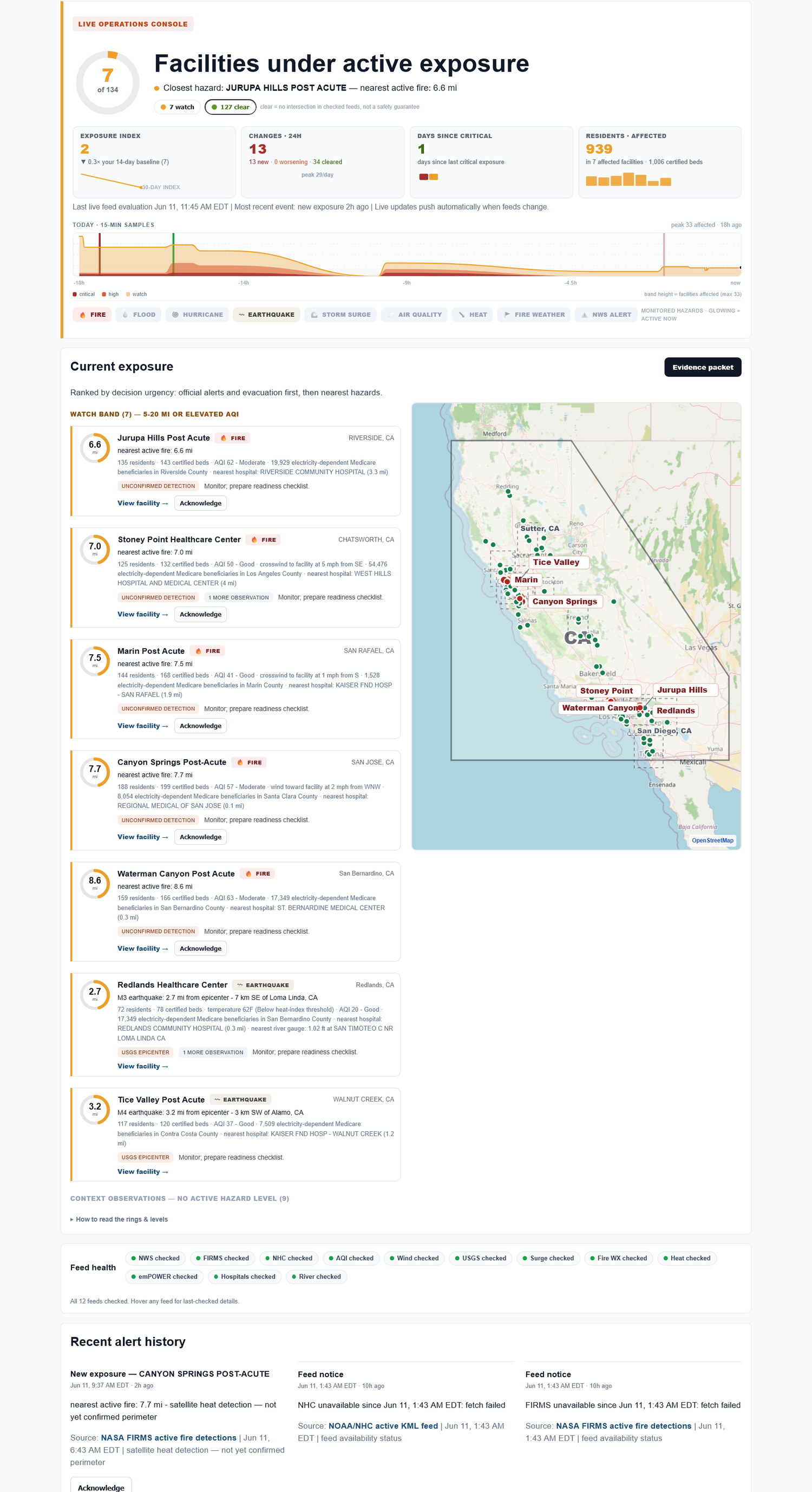
The useful record is not a pile of alerts. It is a facility-level timeline with hazard, source, status, first-seen time, last-checked time, and change history. Exposure Watch keeps that evidence trail current while the live exposure picture changes.
Not just an alert. A record. Alerts help in the moment; saved rows help when the annual review, board question, or survey file needs a timeline.
Why an evidence trail beats a screenshot folder
Screenshots are better than nothing, but they rarely answer what changed or when the check happened. They also tend to live with one person.
A shared, source-cited timeline gives operations, compliance, and finance the same starting point without claiming to be the official record by itself.
Evidence-trail worksheet
Use this short worksheet to capture what the team needs before the formal review, not as a substitute for the official program.
| Element | How to use it |
|---|---|
| Source row | Keep facility, hazard, source, status, first-seen time, and last-checked time together. |
| Change history | Note whether the exposure worsened, cleared, or stayed active. |
| Export owner | Name who will attach the record to the internal file. |
Download worksheet This static worksheet is a practical review aid, not a certification or official filing tool.
How Exposure Watch helps
Exposure Watch keeps the external-hazard picture and evidence history together. Each row is tied to a facility and source so the record can be reviewed later without exposing PHI or replacing your official process.
The evidence trail to keep on every page
| Facility | Hazard | Source | Status / distance | First seen | Last checked | Export |
|---|---|---|---|---|---|---|
| Facility A | Wildfire smoke | Authoritative, source-cited alert | Nearby / active | timestamp | timestamp | Export |
| Facility B | Power shutoff | Authoritative, source-cited notice | Possible impact | timestamp | timestamp | Export |
| Facility C | Flood | Authoritative, source-cited alert | Watch area | timestamp | timestamp | Export |
Built automatically from the same live checks - no extra binder work.
What Exposure Watch does not do
Exposure Watch does not replace your emergency-preparedness program, make compliance guarantees, file regulatory reports, run incident command, or tell staff what to do in the moment. It helps your team keep the facility-level external-hazard picture and evidence trail current.
FAQ
What belongs in an emergency-preparedness evidence trail?
A useful trail includes facility, hazard, source, status, first-seen time, last-checked time, and change history. It should avoid PHI and avoid unsupported conclusions.
Is the evidence trail the same as the official emergency-preparedness binder?
No. It is supporting documentation your team can review while maintaining the official binder, policies, exercises, and after-action records.
Does Exposure Watch collect PHI?
No. Exposure Watch is facility-level external-hazard monitoring. Do not enter resident names, patient records, medical details, or clinical data.
Does Exposure Watch tell staff what to do during an incident?
No. It surfaces facility exposure and preserves the record. Your team keeps responsibility for operations, clinical judgment, reporting, and emergency-preparedness decisions.